
How to Apply for the $5,000 Credit Offer
The Microsoft for Startups $5,000 Credit Offer is designed for early-stage startups that want to explore Azure services and start building AI or cloud-based solutions. This program starts with $1,000 in initial credits, and after business verification, you can unlock an additional $4,000, for a total of $5,000 in Azure credits.
Eligibility Overview
Before you begin, make sure you meet these requirements:
- You are a new Azure customer (no existing or active paid Azure subscription).
- You represent a registered business or startup developing your own software or AI solution.
- You can provide business registration documents for verification.
- You will redeem and verify your account within 90 days of activation.
- You are not a consultancy, reseller, agency, crypto-mining, or government/educational entity.
Important Note: Make sure you have a Personal Microsoft Account not Business
Step 3: Redeem Your Initial $1,000 Credit
Once you have set up your Microsoft Personal Account and signed in, you’ll see an option to apply for the $1,000 Azure Credit.
Click on the “Get Started” or “Apply for $1,000 Credit” button.
A pop-up window will appear prompting you to sign in with your LinkedIn account. This is required to verify your professional identity and link your startup profile to Microsoft for Startups.
After signing in with LinkedIn, your profile will be connected automatically, and Azure will create a temporary Azure Sponsorship subscription.
Your $1,000 credit will be applied instantly to this new subscription.
These credits are valid for 90 days and allow you to start exploring Azure — for example, deploying a web app, testing AI services, or integrating APIs.
This first credit helps you get started quickly while you prepare your business verification details for the next stage.
Apply for your Credits
Once you have set up your Microsoft Personal Account and signed in, you’ll see an option to apply for the $1,000 Azure Credit.
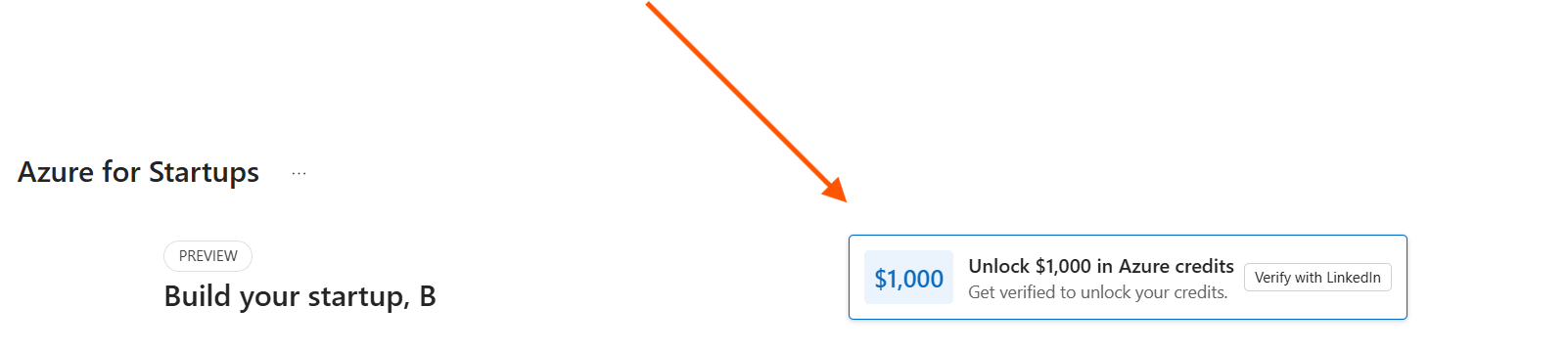
Step 3: Redeem Your Initial $1,000 Credit
Click on the “Verify With LinkedIn”
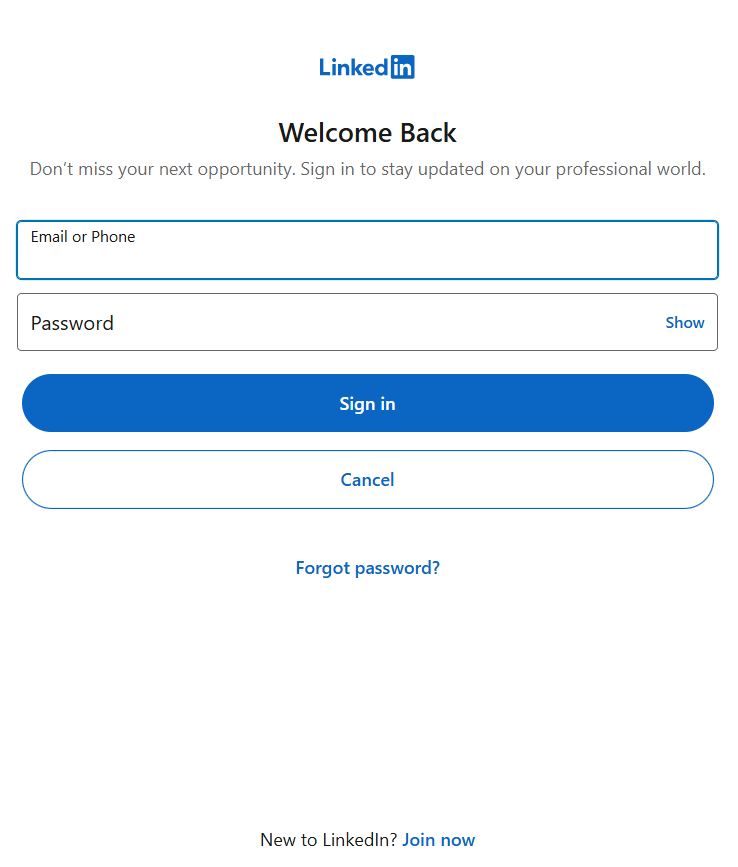
A pop-up window will appear prompting you to sign in with your LinkedIn account. This is required to verify your professional identity and link your startup profile to Microsoft for Startups.
After signing in with LinkedIn, your profile will be connected, and Azure will create a temporary Azure Sponsorship subscription.
Your $1,000 credit will be applied instantly to this new subscription.
These credits are valid for 90 days and allow you to start exploring Azure — for example, deploying a web app, testing AI services, or integrating APIs.
This first credit helps you get started quickly while you prepare your business verification details for the next stage.
Disclaimer:
Access to the $1,000 Azure Credit is subject to Microsoft’s discretion. If you have previously participated in the Microsoft for Startups program or have already linked your LinkedIn account to an existing Microsoft account, you may not be eligible to receive these credits again.
Additionally, a Microsoft Personal Account is required to apply. Without a personal account, you will not be able to redeem the $1,000 credits.
This information is provided for guidance purposes only and reflects our understanding as of October 2025. While we aim to ensure accuracy, no guarantees are made, and we are not responsible for maintaining or updating this content after the stated date. For the most current details, please refer directly to the official Microsoft for Startups program.